Why Payment Sign Ups Work Better
Collecting money after the fact is one of the most time-consuming parts of organizing anything. You send reminders, wait for transfers to clear, and still end up with a spreadsheet full of question marks the day before your event.
Payment sign ups solve this by connecting registration and payment in a single step. When someone claims a slot, they pay at the same time. You know exactly who's coming, what they owe, and whether it's been collected, without any follow-up. Participants pay with a credit card, debit card, or digital wallet, and they never need to create an account to do it.
SignUpGenius processes payments securely through Stripe, so participants get a familiar checkout experience and organizers get real-time visibility into what's been collected. No cash handling, no manual reconciliation, no chasing.

Genius Tip
Set your sign up to close automatically once slots fill. Pairing slot limits with upfront payment means you will never oversell a spot or follow up on a last-minute cancellation.
Ways to Collect Money on SignUpGenius
SignUpGenius offers several ways to collect money depending on what you're organizing. Each option is built into the sign up itself, with no third-party links and no separate checkout pages.
Sign Ups The core money collection tool. Use it to collect event fees, sell items, accept dues, or charge for anything where a fixed or variable amount needs to change hands at the time of sign up.
Fundraisers Built for donation-based collection, with a real-time progress bar so supporters can see how close you are to your goal. Well suited for school drives, nonprofit campaigns, and community fundraising.
Dues & Fees Designed for recurring or one-time membership dues and registration fees, with automatic recurring payments so you're not chasing the same payment every month.
Online Stores For selling spirit wear, merchandise, or any item with variations like size or color, complete with inventory tracking and discount codes for early orders or bulk purchases.
Group Gifts For pooling contributions toward a shared gift, then sending a gift card directly to the recipient, no bank transfers required.
How Payment Sign Ups Work
Regardless of which money collection tool you use, the basic flow is the same. Here's how it works from start to finish.
- Create your sign up and add slots. Build your sign up the way you normally would. Add time slots, items, or event details. Slot limits are set per row, so you control exactly how many spots are available for each option.
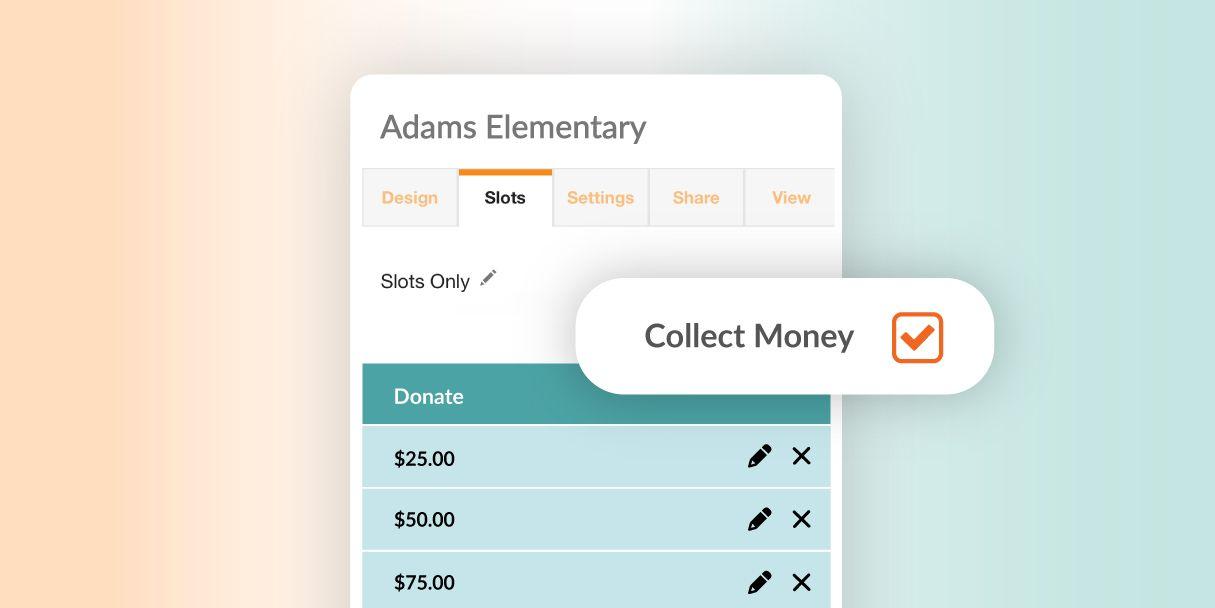
- Enable money collection on the sign up. Choose the right collection type for your use case, like a payment or fundraiser, and configure your amount or goal. You can charge a flat fee, set different prices per slot, or allow participants to enter a custom amount.
- Connect your Stripe account. SignUpGenius money collection runs through Stripe. If you don't have a Stripe account yet, you can create one during setup. Once connected, funds go directly to your account.
- Share your sign up link. Share it by email, text, or post it anywhere online. Participants click, choose their slot, and pay in the same flow, with no separate forms and no separate payment links.
- Track collection in real time. Your sign up dashboard shows who has registered and paid, who hasn't, and your total collected so far. You can export reports and manage individual records from the same place.
Genius Tip
Use automatic reminders to nudge participants who registered but haven't completed payment. Set them on a schedule and let the system follow up so you don't have to.
See how sign ups work
What You Can Sell or Collect
The right collection tool depends on what your group actually needs money for. Here's how organizers typically match the two.
| If You're Collecting For |
Use This Tool |
Example |
| Donations or a fundraising goal |
Fundraisers |
Capital campaigns, disaster relief, school needs drives |
| Event or ticket sales |
Payments |
Theater performances, festivals, school dances |
| Class or activity fees |
Dues & Fees |
Tutoring, fitness classes, pop-up workshops |
| Registrations |
Dues & Fees |
5K races, summer camp, sports tournaments |
| Product sales |
Online Stores |
Spirit wear, booster club merchandise, direct sales items |
| A shared gift |
Group Gifts |
Retirement gifts, teacher appreciation, office celebrations |
Ready to get paid before the event starts?
Create a payment sign up in minutes. Share one link and collect money as people register, no cash, no follow-up, no spreadsheets.
Get Started Free
Frequently Asked Questions
Do participants need an account to pay on a sign up?
No. Participants can pay with a credit card, debit card, or digital wallet without creating a SignUpGenius account.
Can I charge different amounts for different slots?
Yes. You can set a flat fee for the whole sign up, different prices per slot, or let participants enter a custom amount, depending on what you're collecting for.
Is there a minimum amount I can charge?
Yes, there's a small minimum per item. Current rates and minimums are listed on the pricing page.
Can I collect donations instead of charging a fixed fee?
Yes. Use Fundraisers if you want a donation-based collection with a visible progress goal, rather than a fixed per-slot charge.
How do I get paid out after money is collected?
Funds go to your connected Stripe account. Payout timing is shown in your payments dashboard once your account is set up.
SignUpGenius Payments
A closer look at the core Payments tool and everything you can collect with it.
Learn more
Nonprofit Fundraising Tools and Ideas
A practical guide to fundraising events that hit their targets, from goal-setting to day-of logistics.
Read more
How to Organize a School Fundraiser
Tips for planning school fundraisers that get strong participation, with strategies to keep collection on track.
Read more
 Posted by Trey Mosier